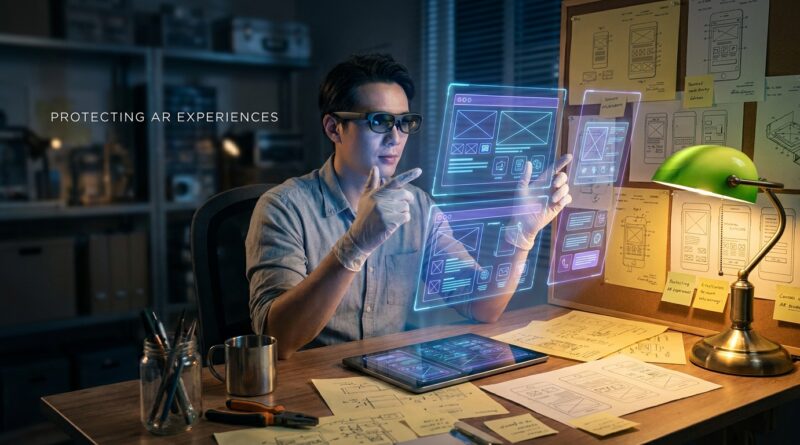
AR, Holograms and Virtual Displays Just Got Design‑Patent Friendly: How Solo Inventors Can Lock In ‘Visible Only on a Screen’ Ideas
You can spend months perfecting an AR menu, a floating dashboard, or a hologram-style control panel, then hit a wall when it is time to protect it. That frustration is real. For years, many solo inventors got the message that design patents were mostly for physical products. A chair. A phone. A bottle. Not the glowing interface your users actually see and tap. That is why the newer USPTO guidance matters so much. It opens the door wider for design patents for AR and holographic user interfaces, including certain projected images, holograms, and virtual or mixed-reality displays. In plain English, if the visual design is shown to a user through a screen, headset, or similar display setup, you may have a path to protect that appearance. The trick is knowing what part is the claim, how to draw it, and how to avoid filing something so vague that it falls apart the moment a copycat tweaks a few pixels.
⚡ In a Hurry? Key Takeaways
- Yes, design patents can now be used more clearly for some AR, holographic, projected, and virtual display visuals, not just physical gadgets.
- Your best first move is to turn polished UI mockups into patent-ready drawings that clearly show what is claimed and what is just environment.
- A narrow, well-drawn filing is often more useful for a solo inventor than a broad, fuzzy one that is harder to get and harder to enforce.
Why this matters now
If you are building in AR, XR, wearables, or smart glasses, your product may not look special when it is turned off. The real magic is on the display. It might be a curved navigation ribbon in a heads-up view. It might be a set of gesture-ready icons floating in space. It might be a hologram-like panel that appears anchored to a real object.
That creates a simple problem. Users see the interface. Competitors copy the interface. But many founders still assume only utility patents or copyright might help. That is an expensive misunderstanding.
The newer USPTO approach to projections, holograms, and virtual or augmented reality displays tells inventors something important. The visual appearance of these display-based designs can be claimed, if presented the right way. That is the opening.
What changed in plain English
The old mental model was too physical. If it was not a solid object you could hold, many people assumed design patent protection was off the table.
Now the USPTO has made clearer that a design does not have to be a traditional chunk of hardware to qualify. A projected image, hologram, or virtual display can be part of patent-eligible design subject matter when it is tied to an article of manufacture. In everyday terms, that usually means the visual design is shown through some real-world device or medium, such as a display, headset, glasses system, or other hardware context.
That does not mean every sketch of a futuristic interface gets a patent. It means you have a more realistic path than many people think.
What the USPTO still wants to see
You still need structure and clarity. Your application has to show the ornamental design. It has to make clear what is part of the claim. And it has to connect the visual design to the proper display context.
This is where many indie inventors trip up. They submit product mockups that look great in a pitch deck but are weak as patent drawings.
What counts as a good candidate for protection
Think about the pieces users recognize instantly.
- A specific arrangement of floating controls in AR glasses
- A distinctive holographic dashboard for a wearable or in-car heads-up system
- A projected control interface with a particular shape, layering, or icon layout
- An XR panel design that appears pinned in 3D space with a unique visual frame and content region
Design patents protect appearance, not function. So the question is not, “Does this system do something useful?” The question is, “Does this visual presentation have a distinctive ornamental look?”
If your design choice was mostly about visual appearance rather than pure necessity, that is often a better sign.
What does not get protected
This is where expectations need a quick reality check.
The underlying code
A design patent will not protect your software logic, your tracking algorithm, or your AI model.
The general idea
You cannot claim “any floating menu in augmented reality.” That is too abstract.
Pure function
If a feature looks the way it does only because it had to work that way, it may run into trouble. Design patents are about ornamentation, not just utility.
The phrase solo inventors need to remember
Protect what users actually see.
That is the sweet spot here. If your product experience lives on a lens, windshield, visor, monitor, or projection surface, the visible layer may be one of your most valuable assets.
How to turn UI mockups into something file-worthy
This is the practical playbook.
1. Pick the exact visual moment
Do not start with every screen you ever designed. Start with the strongest single view or a tightly related set of views. Ask yourself which layout a copycat would imitate first.
2. Separate claimed design from background context
Patent drawings often use solid lines for what is claimed and broken lines for environment or unclaimed portions. In this kind of filing, that distinction is a big deal. The headset, room, windshield, hand, or surrounding hardware may simply provide context while the displayed visual arrangement is the real focus.
3. Use multiple views if needed
If the design changes based on angle, position, or 3D presentation, your drawings may need to show that clearly. A flat screenshot is not always enough for an AR or holographic concept.
4. Be careful with animation and sequence claims
Some digital designs involve transitions or changing states. Those can sometimes be claimed, but they need careful treatment. If the value is in a sequence, not just one frame, your filing strategy should reflect that.
5. Avoid overclaiming
This is the classic founder mistake. They try to claim the whole futuristic experience in one shot. That often leads to messy drawings and weak boundaries. A narrower claim around one distinctive display configuration can be smarter and cheaper to defend.
Why “visible only on a screen” is no longer a dead end
Years ago, a lot of inventors heard some version of this: if it only appears on a display, good luck. That was never the whole story, and now it is even less true.
The better way to think about it is this. If the visual design appears as part of a display-based product experience and your application presents it properly, you may be in design-patent territory. That is especially important as more products stop looking like “devices” and start looking like lenses, clips, rings, dashboards, and ambient displays.
Common mistakes that weaken AR design filings
Using marketing images instead of patent drawings
Sexy renders are not the same thing as precise legal drawings. Patent examiners care about boundaries and consistency.
Mixing too many concepts into one application
A navigation strip, a gesture wheel, and a notification orb might each deserve separate treatment. If you cram them all together, you may create confusion about what the design actually is.
Ignoring the hardware relationship
For these newer display-focused designs, the article-of-manufacture issue matters. You need to show the design in a proper use context, not floating in legal outer space.
Waiting too long after public release
If you post your concept videos, launch on social media, or start taking orders before talking to counsel, timing can become a problem. Design rights are not something to sort out after your demo goes viral.
A smart filing strategy for indie makers
If money is tight, you do not need to protect everything at once.
Start with the visual feature that is most distinctive, easiest to recognize, and most likely to be copied. Think in layers.
- File on the core interface layout first
- Consider follow-on filings for key variations
- Keep records of creation dates and design iterations
- Save source files, exports, version notes, and prototype captures
This is often a better path than trying to outspend larger players. You are not trying to build a giant patent wall on day one. You are trying to stake out the part of the experience that gives your product its face.
What enforcement might look like in the real world
A design patent is not a magic force field. But it can change the conversation fast.
If a competitor launches a suspiciously similar AR display layout or holographic control panel, a granted design patent gives you something concrete to point to. That can help with cease-and-desist letters, licensing talks, investor diligence, and platform disputes. It can also make you look far more serious than “I had the idea first” ever will.
For solo inventors, that credibility matters almost as much as the legal right itself.
When to talk to a patent professional
If your design is central to the product, talk to someone before launch, not after. This area is still new enough that many generalists may not frame the drawings as well as a practitioner who follows display-based design filings closely.
You do not always need a giant law firm. But you do need someone who understands how to claim digital visuals without accidentally claiming only the hardware shell or, on the other hand, making the drawings so abstract that the application stumbles.
The simple test: would a user recognize it instantly?
If someone saw your interface for two seconds and knew it was yours, that is often a clue you may have design value worth protecting.
The more markets move toward glasses, projections, mixed-reality workspaces, and AI-driven wearables, the more the product’s identity shifts from hardware to presentation. For many founders, the interface is the product.
At a Glance: Comparison
| Feature/Aspect | Details | Verdict |
|---|---|---|
| What can be protected | Distinctive visual appearance of AR, holographic, projected, or virtual interface elements shown in the right display context | Good fit for design patent protection if clearly drawn |
| What cannot be protected | General ideas, software function, algorithms, and purely necessary functional layouts | Use other IP tools if function is the real asset |
| Best strategy for solo inventors | File on the most recognizable interface view first, with clean drawings and narrow, defensible scope | Usually the most budget-friendly and realistic approach |
Conclusion
For solo builders, this is one of those rare moments when the rules are changing just as a new product wave is taking shape. The USPTO’s newer guidance around projections, holograms, and extended-reality displays is still fresh enough that plenty of founders, and even some professionals, have not fully caught up. That creates room for sharp inventors to move early. If you are working on design patents for AR and holographic user interfaces, the key is not to think like a giant company with an endless legal budget. Think like a careful product designer. Pick the visual features users remember. Turn those mockups into clean, claim-ready drawings. Protect the look and feel people actually encounter, not just the hidden tech underneath. As AR glasses, AI wearables, and mixed-reality dashboards move from concept to everyday gear, a smart design filing today could give your product a real edge tomorrow.